

Table of Contents
- Startup Office Equipment Checklist: What to Buy First
- Essential Office Supplies for Small Business: The Non-Negotiables
- Printer and Scanner for Small Business: One Device Does Both
- Startup Office Setup on a Budget: Where to Save and Where to Spend
- Security and Document Protection: Safes, Shredders, and Data
- Choosing the Right Essential Office Equipment for Your Team Size
- Conclusion: Your Startup Office Equipment Plan
- Frequently Asked Questions
Last Updated: October 15, 2026
Startup Office Equipment Checklist: What to Buy First
Setting up a startup office in Lebanon means deciding fast and getting the essentials right the first time. At Dabbous Mega Supplies, we have supplied printing, office, and computer equipment across Lebanon since 1952. This guide covers the essential office equipment for startups, in the order you should buy it.
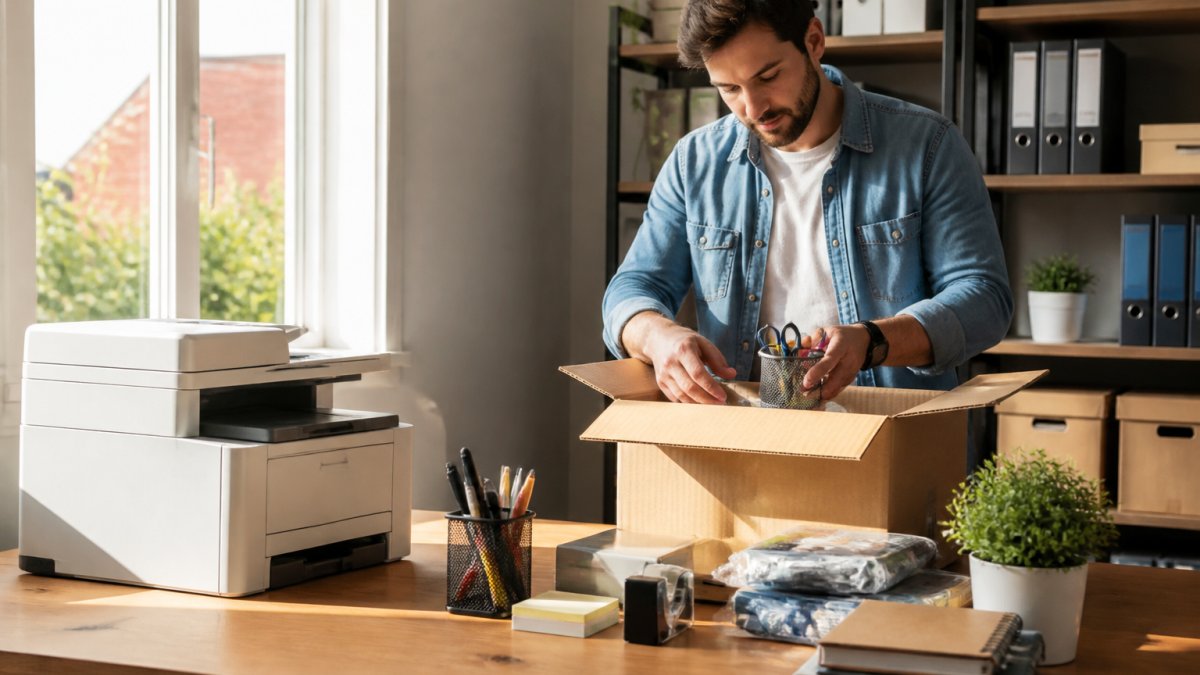
Here is the order we recommend, and why it holds up:
- Printing and scanning device, contracts, invoices, and ID copies arrive in week one, not month three.
- Computers and peripherals, laptops first, then monitors, keyboards, and a USB hub.
- Internet and networking gear, a reliable router before anything else goes online.
- Desks and ergonomic chairs, buy used or entry-level, upgrade once revenue is stable.
- Stationery and paper, pens, paper, sticky notes, highlighters, tape, scissors, paper clips.
- Desk organization and storage, organizers, filing trays, and a shredder for sensitive paper.
- Mailing and shipping supplies, envelopes, labels, tape, and a digital scale if you ship.
- Cleaning and breakroom basics, disinfectant wipes, trash cans, and a coffee machine.
Essential Office Supplies for Small Business: The Non-Negotiables
The essential office supplies for small business come down to what you cannot operate without: paper, pens, printer consumables, and basic desk tools. Everything else is comfort, not function.
Start with a core stationery kit per desk:
- A4 paper, bought by the ream rather than the pack
- Black and blue pens, plus a few highlighters for marking documents
- Sticky notes in two sizes
- Paper clips, binder clips, and a stapler
- Tape, scissors, and a ruler
- A desk organizer to keep it all from spreading across the table
Then add the shared items: a laminator for notices and certificates, and a binding machine if you produce reports, manuals, or proposals. The FELLOWES LUNAR A4 & A3 Office Laminator handles standard A4 and A3 sizes with consistent heat distribution, which matters when you laminate in batches. The Sunwood SZ9012 Manual Binding Machine punches up to 15 sheets and binds up to 450, with a full metal body built for daily use.
Buying stationery in tiny quantities from the closest shop drives unit prices up fast. Buying paper, toner, and pens in bulk from one supplier keeps costs predictable.
Printer and Scanner for Small Business: One Device Does Both
A multifunction laser printer is the best value purchase for a startup office: it prints, scans, and copies in one box, saving money and desk space versus three separate machines.
The HP Laser Mono Wireless Multi Function Printer M141W is the smallest multifunction laser printer in its class and the model we recommend most often to home offices and small teams.

What makes it practical for a small team:
- HP Smart App support, so you can scan to your phone or straight to cloud storage
- Wi-Fi Direct, which lets a laptop or phone connect without a local network
- ID Copy, which puts both sides of an ID card on one sheet, a small feature that saves real time in admin work
- Auto-On/Auto-Off technology, which cuts power use between jobs
It runs on the HP 150A Black LaserJet Toner Cartridge, so keep a spare on the shelf, a printer that stops mid-week costs more in lost time than the cartridge.
Startup Office Setup on a Budget: Where to Save and Where to Spend
A startup office setup on a budget follows one rule: spend on the machines you use daily, save on everything you can replace cheaply.
Think in total cost of ownership, not purchase price. For any device you will use weekly, add up four numbers before you decide:
- Purchase or lease cost, what leaves your account on day one.
- Consumables, toner, paper, laminating pouches, binding combs, shredder bags.
- Maintenance and service, drum units, fuser kits, shredder blade sharpening, safe battery replacement.
- Replacement cycle, how many years before the unit is uneconomical to repair.
A cheap inkjet can cost more per page than a laser once you factor in cartridge yield, and a heavy-duty shredder survives daily use instead of burning out in a year.
Buy, lease, or rent, when each makes sense:
- Buy when the device is low-cost, low-maintenance, and you will keep it past its warranty. Stationery, hubs, desks, chairs, and small shredders fall here.
- Lease when the device is expensive, depreciates fast, or you want predictable monthly cost with service included. Multifunction printers and copiers are the classic lease candidates, because the lease usually bundles toner and servicing.
- Rent when your need is short or uncertain, a project printer, a temporary second shredder, or equipment for a pop-up office. Renting avoids a capital hit you may never recover.
For a startup: buy what you touch daily and can service yourself.
Where to spend:
- Printer and scanner, a cheap unit that jams weekly is a false economy
- Chairs, one bad chair affects every working hour of the day
- Router, unstable internet stops the whole team at once
- Shredder, if you handle client or donor paperwork, this is not optional
Where to save:
- Desks, flat-pack or second-hand desks do the same job as premium ones
- Decor and shelving, functional beats fashionable in year one
- Small peripherals, a Type-C to USB 2.0 and 3x USB 3.0 hub with 10W charging turns one laptop port into four, which often removes the need for a docking station entirely. It supports up to 5 Gbps per USB 3.0 port and works across Windows, macOS, Linux, and Android without drivers.
| Category | Spend Level | Why |
|---|---|---|
| Printer and scanner | High | Daily use, downtime is expensive |
| Chairs | High | Affects health and focus all day |
| Router and networking | High | One failure stops the whole team |
| Desk | Low | Function matters more than finish |
| Peripherals and hubs | Low | Cheap to replace, easy to upgrade |
| Decor and shelving | Low | Cosmetic, defer to year two |
Security and Document Protection: Safes, Shredders, and Data
Security equipment protects two things: paper you cannot afford to lose, and information you are obliged to destroy.
HP LASER MONO WIRELESS MULTI FUNCTION PRINTER M141W →

For documents, cash, and valuables, a fireproof safe is the baseline. The SHIELD Heavy Duty Fireproof Safe comes in two locking configurations, handle plus digital lock and emergency key, or main key plus digital lock and emergency key.
For destruction, the Sunwood SD9511 Shredder is a cross-cut machine with security level 4 and a 2x12 mm cut size.
On the digital side, the basics hold: unique passwords, two-factor authentication on email and banking, and encrypted backups. For teams handling donor or client records, check the data protection guidance that applies to your organisation before storing personal information. The UK Information Commissioner's Office guidance on data protection is a useful reference for how personal data should be stored and destroyed, even where local rules differ.
Choosing the Right Essential Office Equipment for Your Team Size
Start with the work model, then the headcount.
- Fully in-office: one shared printer, one router, shared shredder, shared safe, and a desk and chair per person. Buy shared equipment once and centralise it.
- Hybrid: the office still needs the shared machines, but each remote worker needs a home kit that mirrors the basics, a reliable printer or a print allowance, a hub, a monitor, and a chair that does not wreck their back. Duplicating a heavy-duty shredder at home is usually wasteful; a small cross-cut unit is enough for personal documents.
- Fully remote: skip the office printer and invest in per-person home-office kits, cloud storage, and a document-handling policy that tells people what to print, what to sign digitally, and what to shred at home.
- Coworking or shared office: check what the space already provides before you buy. Many coworking memberships include printing, scanning, meeting-room whiteboards, and sometimes a shredder. Buying your own duplicates what you are already paying for.
Solo founders and home-based professionals: one multifunction laser printer, one laptop, a USB hub, and a small desk setup.
Teams of two to five: add a shared whiteboard for planning. The Magnetic Whiteboard for Office School Home has a smooth magnetic surface that erases cleanly and holds notices with magnets, which suits meeting rooms and home study alike.

Teams of six to fifteen: a heavy-duty shredder, a fireproof safe, a laminator, and a binding machine start earning their place.
Resellers, NGOs, and institutions: buy in wholesale quantities, standardise on one or two printer models, and keep spare cartridges on site.
| Team Size | Priority Purchases | Defer |
|---|---|---|
| 1 person | Printer, laptop, hub, chair | Safe, laminator, binder |
| 2-5 people | Whiteboard, shredder, shared printer | Binding machine, safe |
| 6-15 people | Heavy-duty shredder, safe, laminator, binder | Second printer until volume demands it |
| Resellers and NGOs | Bulk toner, standardised printer fleet | Non-standard models |
Match the kit to the business type, not just the headcount. A shipping-heavy business needs a digital scale, label printer, and packing station before a laminator.
One consideration competitors rarely mention: accessibility. Adjustable desk heights, chairs with proper lumbar support, and clear pathways cost little at the buying stage and are expensive to retrofit. If anyone on your team has mobility or vision needs, raise it before the order. The same applies to remote workers, a home-office kit that ignores ergonomics just moves the problem out of sight.
Conclusion: Your Startup Office Equipment Plan
Building an office from zero is a series of trade-offs, and the pressure to buy everything at once pushes most startups into overspending. Buy the printer, chairs, and router first, then add the shredder, safe, and finishing equipment as paperwork grows.
Dabbous Mega Supplies has equipped Lebanese offices, schools, NGOs, and resellers for more than 70 years.
Get started with Dabbous Mega Supplies and build an office that runs without interruptions. SHOP NOW.
Frequently Asked Questions
What office equipment does a startup need first?
Start with the items you will use daily: a reliable printer and scanner, computers and monitors, a wireless router, and basic stationery like paper, pens, and sticky notes. A multifunction printer such as the HP LaserJet MFP M141w handles printing, scanning, and copying in one compact unit. Add a shredder and safe once you handle sensitive documents. Prioritize these core items before investing in presentation equipment like whiteboards or laminators.
How should a startup prioritize office equipment on a budget?
Rank purchases by daily use and cost of downtime. A printer and scanner come first because invoices, contracts, and forms need them constantly. Next, secure your workspace with a shredder and safe. Then add comfort and collaboration items like a whiteboard. Buy multifunction devices where possible to save both money and desk space. Dabbous Mega Supplies offers competitive pricing and fast delivery, which helps you avoid overbuying upfront.
What computer equipment does a new business need?
A new business needs laptops or desktops, monitors, keyboards, mice, and a reliable wireless router for internet connectivity. A USB-C hub is also worth adding: the Type-C to 3x USB 3.0 + USB 2.0 Hub with 10W charging lets you connect external drives, barcode scanners, and keyboards through a single port. Choose equipment based on your team size and whether you work in a shared office or remotely.
Which printer and office supplies should a startup buy in Lebanon?
Look for a multifunction laser printer that prints, scans, and copies. The HP LaserJet MFP M141w fits that description with up to 21 pages per minute, Wi-Fi, and the HP Smart App for mobile printing. Pair it with genuine or compatible toner cartridges, A4 paper, and basic stationery. Dabbous Mega Supplies stocks these items with delivery across Lebanon in one to three days, with same-day options available.
What are the essential supplies for a small business office?
Beyond hardware, stock paper, pens, highlighters, sticky notes, paper clips, tape, scissors, and a desk organizer. Add mailing supplies like envelopes, labels, and a digital scale if you ship products. Cleaning supplies, disinfectant wipes, and a trash can keep the space presentable. For document handling, a laminator and binding machine help with certificates, reports, and proposals. Buy these in bulk where possible to reduce per-unit costs.


