

Table of Contents
- Why Getting the Right Toner Matters for Your Office
- How to Find the Correct Toner Cartridge for Your Printer
- Standard vs High-Yield Toner Cartridges: Which One Fits Your Office
- Original vs Compatible Toner Cartridges: What You Need to Know
- Understanding Toner Cost Per Page and Total Printing Costs
- Matching Cartridge Type to Your Printer Brand and Model
- Planning Your Office Toner Inventory and Budget
- Common Mistakes When Ordering Office Printer Toner
- Frequently Asked Questions
Last Updated: October 20, 2026
Why Getting the Right Toner Matters for Your Office
When you choose office printer toner incorrectly, it wastes time and money, an incompatible cartridge sits unused or forces a reorder. Getting the right toner keeps your team productive, your documents consistent, and your budget under control.
At Dabbous Mega Supplies, we've helped thousands of Lebanese businesses navigate this decision over our 70+ years in the market. The difference between smooth and frustrating printing often comes down to understanding what cartridge your printer actually needs.
Most office managers buy toner reactively, the printer runs out and they grab whatever seems close enough, costing money and creating downtime.
This guide shows how to choose office printer toner systematically, finding your cartridge type, comparing yield options, weighing OEM versus compatible, calculating costs, and building an inventory strategy.
How to Find the Correct Toner Cartridge for Your Printer
The foundation of choosing the right toner is identifying what cartridge your printer needs, a straightforward verification process that takes minutes.
Step 1: Locate Your Printer Model Number
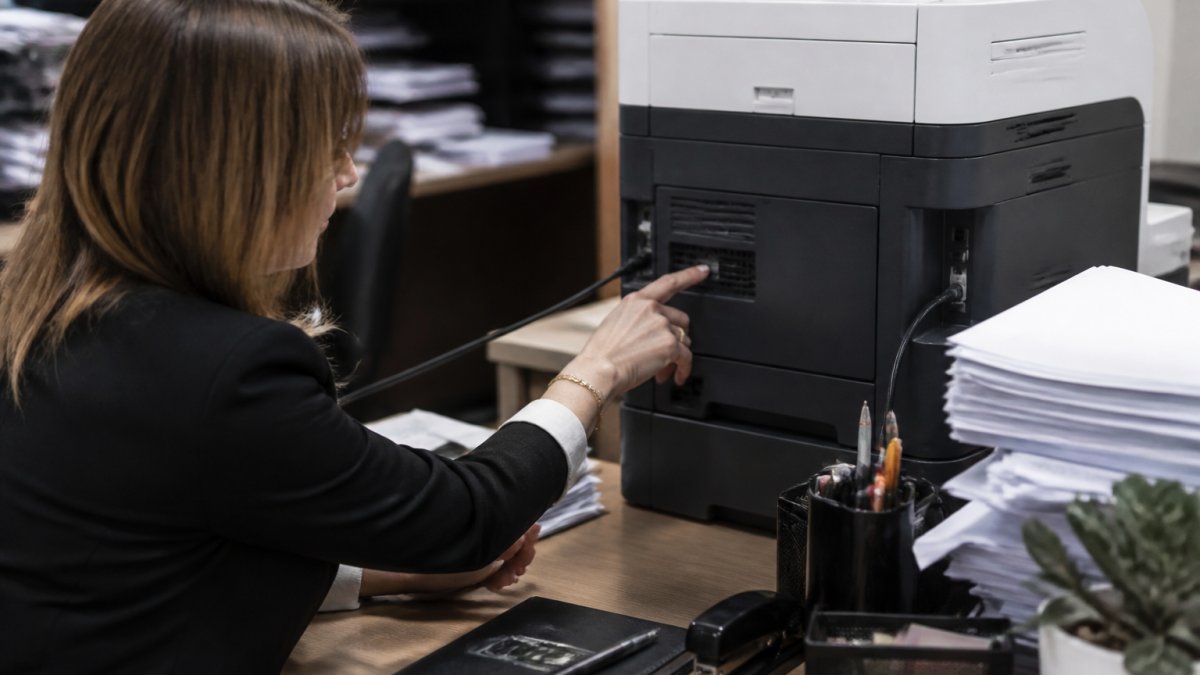
Every printer has a model number on a label on the back or bottom, text like "HP LaserJet Pro M209" or "Ricoh SP 311." Write it down exactly as it appears; a single digit difference means a completely different cartridge. Multifunction devices still use the model number to identify their toner.
Step 2: Check the Printer Manual or Manufacturer Website
Once you have the model number, verify it. Most manufacturers offer free PDF manuals online, search "[Your Printer Model] manual PDF" for an official document listing compatible cartridge part numbers. Alternatively, HP, Canon, Ricoh, Brother and other brands maintain compatibility databases, enter your model and the system shows exactly which cartridges work.
The manufacturer's list shows both the standard cartridge number and any high-yield variants, for an HP M209, options like "HP 135A" for standard yield and higher-yield alternatives. Write down all compatible part numbers for price comparisons.

Step 3: Verify Compatibility Before Ordering
Before ordering, do a final verification. Check the cartridge packaging or product listing against your printer model, reputable suppliers like Dabbous Mega Supplies list compatible models directly on each product page. Vague listings are a red flag, move to a different supplier.
For added confidence, many suppliers offer compatibility support. At Dabbous Mega Supplies, contact us via WhatsApp with your printer model and our team confirms compatibility instantly before you order.
Standard vs High-Yield Toner Cartridges: Which One Fits Your Office
Once you've identified the correct cartridge type, you face a yield decision. Standard and high-yield cartridges are physically similar but deliver very different page counts, directly impacting your printing costs and reorder frequency.
Standard-Yield Cartridges for Lighter Printing
Standard-yield cartridges are the baseline option, typically printing 1,000 to 2,500 pages depending on the model, a standard HP 135A delivers around 1,100 pages. They suit offices with lower monthly print volumes: if your team prints 2,000 to 3,000 pages per month, a standard cartridge lasts several months and keeps upfront costs down, at the trade-off of more frequent reorders. They also make sense when testing a new printer or uncertain about long-term usage.
High-Yield Cartridges for Heavy-Volume Offices
High-yield cartridges contain more toner and print 50% to 100% more pages than standard versions, often 2,500 to 4,000+ pages. For offices printing 5,000+ pages monthly, they reduce reorder frequency and lower cost per page: you buy fewer cartridges annually even though each costs more upfront. They also mean fewer emergency orders and less downtime waiting for delivery.
The Ricoh SP311HE and Brother TN-279 are high-yield options available from Dabbous Mega Supplies. These cartridges deliver extended page yields, making them ideal for small and medium businesses with regular printing demands.

Original vs Compatible Toner Cartridges: What You Need to Know
Beyond yield, you face another critical decision: original equipment manufacturer (OEM) cartridges versus compatible alternatives, affecting print quality, reliability, and total cost.
Original Equipment Manufacturer (OEM) Cartridges
OEM cartridges are made by the printer manufacturer, HP makes HP cartridges, Canon makes Canon cartridges, and are engineered and quality-tested for each model. They guarantee compatibility and print quality (sharp text, consistent color, reliable performance) and protect your printer's warranty, though non-OEM coverage varies by brand and region.
Original cartridges make the most sense when print quality is non-negotiable, client-facing documents, professional reports, or marketing materials where appearance matters. They're also safer if you're risk-averse about compatibility or warranty concerns.
Dabbous Mega Supplies stocks original cartridges from major brands including HP 135A, Canon 728, Ricoh SP311HE, and Brother TN-279. These are genuine OEM products with full compatibility guarantees.

Compatible and Remanufactured Cartridges
Compatible cartridges are third-party products designed to work in your printer; remanufactured cartridges are used OEM cartridges that have been refilled, cleaned and tested. Both cost significantly less than original cartridges. Compatible quality varies, the best perform nearly identically to OEM, while lower-quality options may produce faded text, inconsistent output or jams, a risk that's manageable with reputable suppliers who stand behind their products.
For internal office documents where appearance is less critical, compatible cartridges represent genuine savings. Many offices use OEM for client-facing work and compatible cartridges for internal printing, balancing quality and cost.
The key is buying from suppliers who guarantee compatibility and stand behind their products. Cheap cartridges from unreliable sellers often cause problems that cost more to fix than the savings justify.
Understanding Toner Cost Per Page and Total Printing Costs
Choosing between standard and high-yield, or between OEM and compatible, requires understanding your actual cost per page. This metric reveals which option truly saves you money over time.
Cost per page is straightforward: divide the cartridge price by the page yield.
Total printing costs go beyond cartridge price: factor in delivery costs, reorder frequency and the labor of managing inventory, plus hidden costs like troubleshooting jams or quality issues from compatible cartridges.
Ricoh SP311HE Original Toner Cartridge – High Yield →
At Dabbous Mega Supplies, our pricing on products like the Ricoh MC2000H and Brother TN-279 reflects this value equation. You can choose based on your actual usage patterns and budget.
Matching Cartridge Type to Your Printer Brand and Model
Different printer brands use different cartridge designs, an HP cartridge won't fit a Canon printer, and a Ricoh cartridge won't work in a Brother machine. Each major brand (HP, Canon, Brother, Ricoh, Xerox) designs cartridges specifically for its printers, with varying physical shape, electrical contacts and toner formulation.
Your printer's manual lists exactly which cartridges work. For HP printers, part numbers include 135A, 78A or 79A depending on model; for Canon, 728 or 726; for Brother, TN-279 or similar; for Ricoh, SP311HE or MC2000H.
The risk of mismatching is real. Incompatible cartridges can jam inside your printer, require expensive repairs, or void your warranty. Always verify before ordering.
Planning Your Office Toner Inventory and Budget
Smart offices don't wait until they run out of toner. They plan ahead, maintain a small buffer stock, and budget for cartridge costs predictably.
Start by calculating your monthly print volume, check your printer's usage statistics (most modern printers track this) or estimate from your team's workload.
Budget for cartridge costs based on your usage pattern and chosen yield option. If you print 60,000 pages annually at 0.10 LBP per page, budget 6,000 LBP for toner annually, predictable costs beat reactive emergency purchases.
Dabbous Mega Supplies offers fast delivery anywhere in Lebanon, typically 1-3 days with same-day options available in Beirut. This speed means you can maintain leaner inventory while still avoiding stockouts.
Common Mistakes When Ordering Office Printer Toner
Learning from common mistakes accelerates your path to efficient toner purchasing. Here are the pitfalls that trip up most offices.
Confusing cartridge part numbers. Similar-sounding part numbers are different products, HP 135A and HP 136A, or Canon 728 and Canon 726, are not interchangeable.
Ignoring cost per page calculations. Comparing only upfront price misses the real economics.
Waiting until the last cartridge runs out to reorder. This creates emergency orders, rushed decisions and compatibility mistakes.
Buying from unreliable suppliers. Cheap cartridges from unknown sellers can cause jams, poor print quality or compatibility issues.
Overlooking delivery times. Ordering Friday afternoon when you're out of toner Monday morning creates stress.
| Mistake | Impact | Prevention |
|---|---|---|
| Ordering without verifying model | Incompatible cartridge, wasted money | Always check printer model number before ordering |
| Confusing similar part numbers | Wrong cartridge purchased | Write exact part number, verify against manual |
| Wrong yield for usage | Expired toner or frequent reorders | Calculate monthly usage, match to yield |
| Ignoring cost per page | Overspending on printing | Divide cartridge price by page yield |
| Waiting until empty | Emergency orders, rushed decisions | Reorder at 25% stock remaining |
| Unreliable suppliers | Jams, poor quality, no support | Buy from established retailers with guarantees |
| No inventory tracking | Ordering wrong cartridge | Maintain list of printer models and cartridges |
| Poor delivery planning | Downtime, stress | Plan ahead and use reliable fast delivery |
Choosing the right office printer toner doesn't require guesswork.
At Dabbous Mega Supplies, we've simplified this process for Lebanese businesses for over 70 years.
Frequently Asked Questions
How do I find the correct toner cartridge for my office printer?
Start by finding your printer's model number, usually on the back or bottom of the device or in the settings menu. Write down the exact model number, then check your printer manual or the manufacturer's website to find compatible cartridge part numbers. You can also contact a supplier like Dabbous Mega Supplies on WhatsApp to confirm compatibility instantly before ordering. Always verify the cartridge code matches your printer model to avoid ordering the wrong toner.
What's the difference between standard-yield and high-yield toner cartridges?
Standard-yield cartridges print fewer pages (typically 1,100-2,500 pages) and cost less upfront, making them suitable for light office use. High-yield cartridges print significantly more pages and have a lower cost per page, so they're better for offices with high monthly print volumes. For a small office printing 500 pages monthly, standard-yield works fine. For teams printing 5,000+ pages monthly, high-yield cartridges save money over time despite the higher initial price.
Should I buy original or compatible toner cartridges for my office?
Original OEM cartridges like the Ricoh SP311HE or Brother TN-279 guarantee compatibility and print quality, protecting your printer's lifespan. Compatible cartridges cost less but carry slightly higher risks of jamming or inconsistent output. For offices where print quality and reliability are critical, original cartridges justify the cost. For budget-conscious operations, compatible cartridges work well if sourced from trusted suppliers like Dabbous Mega Supplies who verify quality.
How do I calculate toner cost per page for my office?
Divide the cartridge price by the page yield. For example, a Ricoh SP311HE high-yield cartridge at LBP 140 with a typical 3,500-page yield costs about 0.04 LBP per page. Compare this across cartridge options to find the most economical choice. Include delivery costs and replacement frequency in your calculation. Offices ordering in bulk often see better cost per page through wholesale pricing and reduced delivery fees.
What should I check before ordering replacement toner for my office printer?
Verify your printer model number matches the cartridge part number exactly. Check the cartridge type (standard vs high-yield) based on your monthly print volume. Confirm whether you need black toner, color toner, or both. Review your current stock to avoid over-ordering or running out unexpectedly. Contact your supplier to confirm compatibility and delivery timeline, especially if you need fast delivery across Lebanon.
Can I use a compatible toner cartridge in my office printer?
Yes, compatible cartridges work in most modern printers as long as the part number matches your printer model. However, some offices experience occasional issues with print quality or jamming. Original cartridges are designed specifically for your printer's engine and offer the best reliability. If you choose compatible cartridges, source them from established suppliers like Dabbous Mega Supplies who stand behind their products and offer support if issues arise.
How long does a toner cartridge typically last in a busy office?
A standard-yield cartridge printing 1,100 pages lasts 2-4 weeks in a busy office printing 500+ pages daily. High-yield cartridges last 2-3 months under the same conditions. Actual lifespan depends on your monthly print volume, page coverage (how much toner each page uses), and printer settings. Track your monthly usage to forecast when you'll need replacements and plan your ordering schedule accordingly to avoid running out.


